To capture leads at trade shows that turn into revenue, decide what a qualified lead is before the show, train your staff to ask a few discovery questions instead of pitching, record a short set of fields (including a hot, warm or cold rating and an agreed next step) at the booth, and send every lead into your CRM with an automated, same-day first touch. A badge scan alone gets you a name. The conversation notes and the follow-up make it a lead.
This guide walks through each step in the order you will meet them: goals, staff, conversations, the form, tools, consent, automation and measurement.
TL;DR
- Set numeric goals first (for example, qualified conversations per hour of booth time), because they decide your staffing, form and follow-up.
- Open with curiosity, not a pitch. Three quick questions (role, problem, timing) are enough to qualify a visitor.
- Capture a rating (hot, warm, cold), a one-line use case and an agreed next step at the booth, not afterward from memory.
- Keep the capture process light enough that tired staff will actually use it at hour six, then sync it to your CRM automatically.
- Automate the first follow-up the same day, but let the rep add a personal note from the conversation.
Table of Contents
- Start with a goal you can count
- Prepare the booth team for conversations, not scans
- Start conversations that lead somewhere
- What your lead capture form should collect
- Choose the capture method that fits the booth
- Get consent and stay within the rules
- Qualify and organize leads before you leave the hall
- Automate follow-up without losing the personal touch
- Measure whether it worked
- Our perspective: capture is a workflow, not a gadget
- Put a system behind your next show
- A simple timeline to follow
- FAQ
- Sources
Start with a goal you can count
Vague goals such as “increase visibility” cannot be tracked on the floor. A useful goal is specific enough to check at lunchtime: forty qualified director-level conversations, or twelve booked demos. The Momencio trade show guide makes the case that this decision drives everything downstream: booth size, staffing, content and qualification criteria.
If you need a starting number, the exhibitor kit from GES offers a simple lead goal formula: exhibit hours multiplied by the number of staff, multiplied by interactions per hour. Take a show with 24 exhibit hours, four people on the booth and a realistic three conversations per person per hour. That is 24 x 4 x 3, or 288 conversations. Not all of them will be qualified, so decide up front what share you expect to be.
Write down three things before you ship anything to the venue:
- The target: conversations, qualified leads and meetings booked.
- The definition of qualified: role, company size, problem, timing. Be explicit.
- The owner: who in sales receives each lead and how quickly they must act.
Prepare the booth team for conversations, not scans
Most lead capture fails because of people and process, not technology. Pure Exhibits says a complete staff program covers five areas: objectives, visitor qualification criteria, opening approaches, lead capture steps and booth behavior. If your briefing skips any of those, staff will improvise, and improvised capture is inconsistent.
A few practical points from that guidance and our own project experience:
- Use sales people on the booth. They are the ones fluent in the product and the buyer’s language.
- Role-play before the doors open. Practice the opening question, the qualification questions and the moment you ask for contact details.
- Replace the script with a question library. Spiceworks recommends training for discovery rather than product pitching, using a conversational version of BANT (budget, authority, need, timing).
- Agree on rating definitions. Everyone must mean the same thing by hot, warm and cold, or your CRM will fill with ratings nobody trusts.
We also suggest a ten-minute huddle at the start of each show day. Review yesterday’s leads, look at which questions got the best answers and fix anything staff found awkward.
Start conversations that lead somewhere
The first fifteen to twenty seconds decide whether the visitor becomes a lead or walks on. Spiceworks suggests spending that time on discovery, with openers like “What brings you to this show this year?” or “What are you trying to solve for in the next six months?” The booth conversation framework from Momencio says the same thing: establish relevance first and show interest in the visitor’s world before you describe your product.
A three-question qualification
When the aisle is busy, a short routine works better than a long interview. The Showcraft lead capture playbook proposes three questions in about fifteen seconds:
- What is your role?
- What problem or use case brought you by?
- When are you looking to evaluate or decide?
If the answers fit your definition of qualified, go deeper. Events Authority suggests asking who else weighs in on the decision and what next step would be useful, then recording those answers in the form fields rather than trusting memory.
Go beyond the booth
Some of your best conversations will not happen at the booth. Sessions, networking breaks and the days before the show are all chances to talk to registered attendees. Book a few meetings in advance where the attendee list allows it, and use the same questions wherever you meet people.
What your lead capture form should collect
Badge data tells you who someone is. It does not tell you why they care. The Pittcon lead quality workbook lists useful areas to capture: the visitor’s challenges or goals, product and interest level, buying role, buying process, decision team, current supplier, next action and follow-up contact.
That is a lot for a busy booth, so prioritize. Pure Exhibits recommends four mandatory fields to improve follow-up:
| Field | What it holds | Why it matters |
|---|---|---|
| Contact information | Name, email, company, phone if offered | Lets you reach the person at all |
| Disposition code | Hot, warm, cold or disqualified | Lets sales prioritize in the first hour back |
| Use-case summary | One or two lines in the visitor’s words | Makes the follow-up personal |
| Agreed next step | Demo, call, quote, send a resource | Gives the visitor a reason to reply |
Add three to five quick picklists on top, such as budget range, timeline, product interest and role. Short picklists are faster than free text and give you clean data for reporting. Leave a single free-text notes field for context.
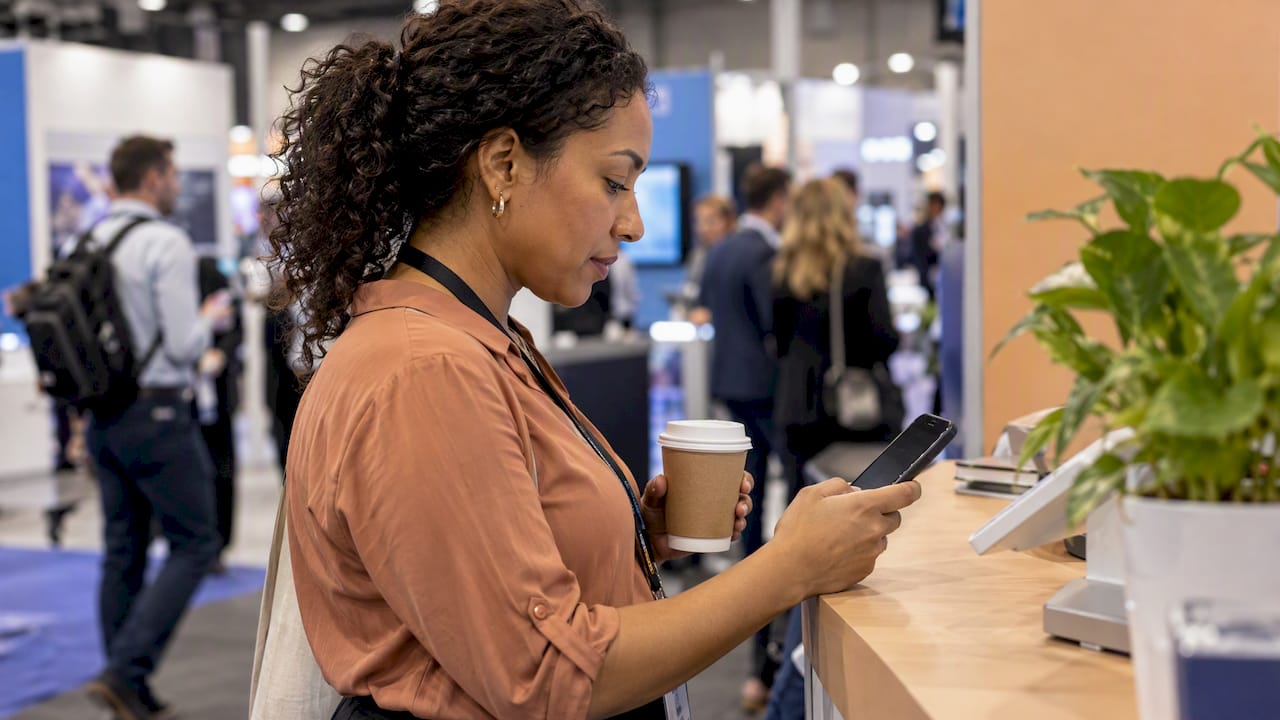
One rule from the Small Business Expo: design for the path of least resistance. If the process is complex, staff will skip steps. Test your form by filling it in with one hand while holding a coffee.
Choose the capture method that fits the booth
There is no single best method. Most exhibitors combine several:
- Badge scans are fast and accurate for contact details, but carry no context on their own.
- QR codes let visitors enter their own details, which suits busy periods and signage on the booth wall.
- Business card photos work for visitors without badges or for people met outside the hall.
- Manual entry on a phone or tablet gives you the most control over fields and notes.
- Kiosk forms let visitors self-qualify while staff are with someone else.
- Interactive promotions such as games and prize drawings draw traffic, though they attract casual entrants, so pair them with qualifying questions.
Whatever you choose, check for the practical details: it should work offline, because show Wi-Fi is notoriously unreliable. Notes should sync off the device. Every lead should be assigned to an owner and deduplicated against records you already have.
If you want an in-person capture experience built around your brand, such as an interactive kiosk that feeds leads straight into your system, our in-person automations page shows what we build.
Get consent and stay within the rules
A visitor who asks for a quote has asked for a follow-up. That is different from agreeing to join your newsletter. Keep the two apart on your form: use an unticked, specific marketing checkbox, link to your privacy notice and tell people what happens next.
For email in the United States, the FTC’s CAN-SPAM compliance guide explains that the law covers all commercial email and makes no exception for business-to-business messages. In practice that means honest header information, a valid physical postal address in each message and a working way to opt out, which you must honor. Build those into your follow-up templates once, so no rep has to remember them under deadline pressure.
If you collect data from visitors in other countries or states, check the privacy rules that apply to them with your legal adviser.
Qualify and organize leads before you leave the hall
Contact details alone are not a lead. Qualification is what lets sales decide who to call first. Pure Exhibits stresses assigning disposition codes at the moment of the interaction, and writing the use-case summary in notes immediately after the conversation, while it is still fresh.
A workable end-of-day routine looks like this:
- Each rep reviews their own leads and fixes missing ratings or notes.
- One person checks that the day’s leads have landed in the CRM.
- Hot leads get a personal message the same evening or next morning.
- The team notes anything the form missed, and you adjust it for tomorrow.
After the show, someone, usually marketing operations, should match records, remove duplicates, route leads to owners and update existing contacts before outreach starts. Otherwise two reps contact the same person, or a current customer gets a cold email.
Automate follow-up without losing the personal touch
Speed matters because the visitor met several of your competitors in the same hall. The aim is that no lead sits in a spreadsheet for a week. Automation can handle the routine parts:
- Instant routing: each lead is assigned to an owner based on territory, product or rating.
- Alerts: the owner is notified in chat or email, so hot leads are not missed.
- A same-day first message: thanks, a recap of what you discussed and the agreed next step.
- Nurture streams: only for people who opted in to marketing, with a different path for hot, warm and cold.
The balance with personalization is simple: let the system send the message, but have the rep add one line from their notes. A message that says “you mentioned moving your quoting process off spreadsheets this quarter” is read. A generic “great to meet you at the show” is not.
The workflow we build most often for exhibitors has four parts: a capture form or kiosk, an automatic push into the CRM, an auto-response to the visitor and a task for the rep. You can see the building blocks on our automation services page, including automatic lead capturing, automatic emails and auto-responses.
Measure whether it worked
It is easy to count scans and call the show a success. Better measures sit further down the funnel:
| Measure | What it tells you |
|---|---|
| Qualified leads vs. your target | Whether the booth hit the goal you set |
| Time to first follow-up | Whether the process was fast enough |
| Lead-to-meeting rate | Whether the conversations were real |
| Lead-to-opportunity rate | Whether sales found the leads worth pursuing |
| Pipeline and closed revenue | The return on the show spend |
| Cost per qualified lead | How this show compares with other channels |
Review these by rep, by day and by lead source (badge scan, QR, kiosk). You will find patterns, such as one question that produces better answers or one day when leads were thin. Feed those back into your next show’s goals.
Our perspective: capture is a workflow, not a gadget
We see the same pattern with exhibitors again and again. They spend heavily on the booth, the travel and the swag, then rely on a stack of business cards and a spreadsheet that nobody owns once the team gets home.
The problem is not the scanner. It is that capture, qualification, CRM entry and follow-up are treated as four separate jobs. When they are one connected workflow, a rep types two lines of notes and a rating, and everything else happens on its own: the lead lands in the CRM, the visitor gets a thank-you that reflects what they asked about, and the rep gets a task.
That is why we design these systems around each client’s size and stage. A self-employed consultant at a regional expo needs something very different from an enterprise team running eight people across a three-day show. Our approach is to start with a consultation, map how your leads should flow, and build the automation to fit, rather than asking you to bend your process around a generic tool.
If your last show produced a pile of contacts and very few conversations, the fix is rarely more scans. It is a tighter process behind them.
Joshua
Put a system behind your next show
If you would rather not assemble the form, the CRM connection and the follow-up sequence yourself, we build that system for you. We offer consultations, custom help and done-for-you setups, and you can start with a conversation on our main site.
Our Elevator Pitch Automations Unlimited and Turn On Elevator Pitch Automations plans are each listed at $300 per month. See the pricing page for what each includes, or get in contact to talk through your show calendar.
A simple timeline to follow
To keep it practical, here is how the steps above fit around a show:
- Four to six weeks before: set numeric goals, define a qualified lead, choose capture methods and build the form.
- Two to three weeks before: connect the form to your CRM, write follow-up templates with the required unsubscribe and address details, and test everything offline.
- The week before: train and role-play with the booth team, and agree on rating definitions.
- During the show: capture, rate and note each lead on the spot; run a short daily review.
- Within 24 hours after: send first touches to hot leads, clean and route the rest.
- Within a month: review the measures above and write down what to change for the next show.
The exact lead times will depend on how complex your setup is, but starting several weeks ahead keeps testing from being squeezed into the flight to the venue.
FAQ
What is the best way to capture leads at a trade show?
The best way is a combination: a quick conversation with three qualifying questions, then a short form or scan that records contact details, a hot, warm or cold rating, a use-case note and a next step. Choose a tool that works offline and syncs to your CRM. Which device you use matters less than whether staff use it consistently.
How many leads should I aim for at a trade show?
A starting formula is exhibit hours times staff times interactions per hour, then apply your own expected qualification rate. Set the target in qualified leads or booked meetings, not raw scans, so you measure quality rather than volume.
What should I ask visitors at the booth?
Start with an open question such as what brings them to the show. Then ask about their role, the problem they are solving and when they expect to decide. If the fit is good, ask who else is involved and what next step would be useful.
How soon should I follow up after a trade show?
Send a first message the same day or the next morning, and personalize it using your notes. Hot leads deserve a personal reply from the rep; warm and cold leads can enter an automated sequence, provided they opted in and every email meets CAN-SPAM requirements.
Sources
- Momencio: trade show management guide
- GES: XPress Leads Exhibitor Success Kit
- Pure Exhibits: trade show staff training
- Spiceworks: train booth staff for discovery
- Momencio: booth conversation framework
- Showcraft: trade show lead capture playbook
- Events Authority: trade show lead capture
- Pittcon: lead quality and conversion workbook
- The Small Business Expo: booth staff training
- FTC: CAN-SPAM Act compliance guide