Client onboarding automation means using software and AI to carry a newly signed client from contract to first delivered work without manual handoffs. The signed agreement triggers the welcome message, the intake form, the account and folder setup, the kickoff scheduling and the internal task list. A person steps in only where judgment is needed. This guide shows which steps to automate, which to leave human, how to build the workflow, and how to keep client data safe along the way.
TL;DR
- Automate the repeatable, time-sensitive work: welcome emails, intake forms, e-signatures, reminders, internal task creation and status updates.
- Keep the kickoff conversation, scope discussions, escalations and relationship check-ins with a person.
- Build in this order: map the current process, pick the trigger, automate one stage at a time, add escalation rules, then test with a dummy client.
- Limit who and what each automation can access, and keep an audit trail of what happened and when.
- The right setup depends on your size: a solo consultant, a ten-person agency and an enterprise need different amounts of structure.
Table of Contents
- What client onboarding automation actually is
- The stages of onboarding and where automation fits
- What to automate first
- What to keep human
- How to build an automated onboarding workflow
- Choosing tools and integrations
- Protecting client data in an automated process
- Fitting the setup to your size
- Our perspective
- Let us build your onboarding workflow
- FAQ
- Sources
What client onboarding automation actually is
Onboarding is everything that happens between “yes, we’ll work together” and the first real deliverable. Done by hand, it is a chain of small tasks: send the contract, chase the signature, ask for logins, create the folder, book the call, tell the team. Each task is easy. The chain is what hurts.
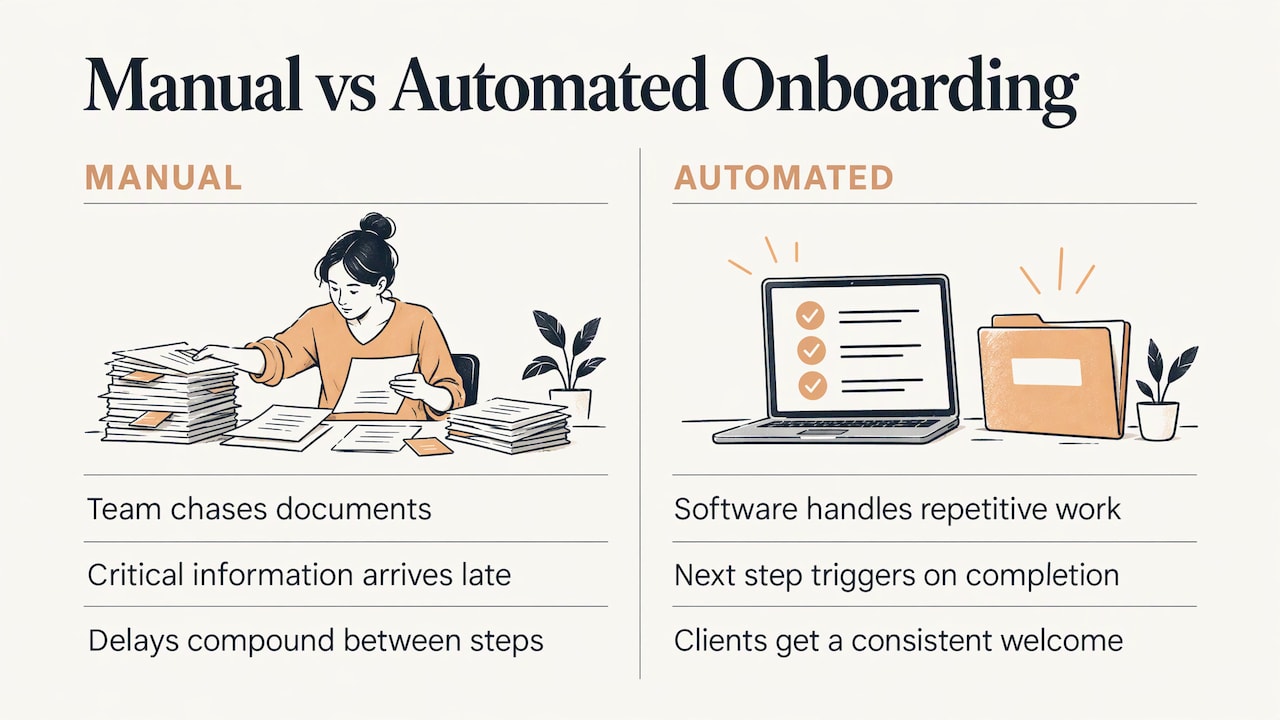
IBM describes automated customer onboarding as software and AI handling repetitive work such as data entry, routine communications, document collection, scheduling and compliance checks, instead of relying on manual effort. The same source points out the real cost of the manual version: team members chase documents, critical information arrives late, and because the steps depend on each other, delays compound. Automation closes those gaps by triggering the next step the moment a client completes one.
The result is not a colder experience. Clients get a prompt, consistent welcome, and your team spends its attention on the conversations that build the relationship.
The stages of onboarding and where automation fits
Different guides slice the process differently. Some describe three phases (pre-onboarding, kickoff, post-kickoff), others eight steps, others six stages. Assembly’s six-stage model is a useful frame: pre-onboarding, contract and payment, welcome and kickoff, information gathering, internal handoff, and ongoing check-ins. Whatever the count, the same work shows up. Here is how it maps to automation:
| Stage | What happens | Automate? |
|---|---|---|
| Pre-onboarding | Align on scope, pricing and timeline | Mostly human; automate proposal delivery and follow-up nudges |
| Contract and payment | Agreement signed, first invoice paid | Fully automate e-signature requests, payment links and receipts |
| Welcome and kickoff | Welcome message, portal access, call booked | Automate the welcome and scheduling; the call itself stays human |
| Information gathering | Intake forms, access requests, documents | Automate collection and reminders; a person reviews quality |
| Internal handoff | Team briefed, owner assigned | Automate task creation and notifications |
| Ongoing check-ins | Reporting cadence, 30-day review | Automate scheduling and status updates; the conversation stays human |
Notice the pattern. Automation owns the movement of information. People own the meaning of it.
What to automate first
If you automate only a few things, start where delays and errors hide. Signwell’s onboarding workflow guide names five areas worth automating: intake and data collection, agreements and e-signatures, reminders and follow-ups, internal task creation, and status visibility. In practice that looks like this.
Intake: collect everything once
One form, sent automatically after signature, should capture business details, billing contact, logins and preferences. The data then flows to wherever it is needed (your CRM, project board, billing system) so nobody retypes it. Asking the client the same question twice is the most common onboarding irritation, and it is entirely avoidable.
Agreements and payment
A signed agreement is the best trigger you have, because it is unambiguous. Let it fire the welcome email, the first invoice and the internal setup in one go.
Reminders and follow-ups
Clients get busy. A gentle, automatic nudge when a form or document is still outstanding saves you from awkward manual chasing. Space the reminders out and stop them the moment the item arrives.
Internal tasks and handoffs
When onboarding starts, the right people should receive the client’s details immediately: a project created from a template, tasks assigned, an owner notified. This is where a lot of agencies quietly lose days.
Status visibility
A shared status page or automatic progress updates let the client see where things stand, and let you see where a client is stuck without asking around.
What to keep human
Automating the wrong moment is worse than automating nothing. Keep a person on:
- The kickoff call. It sets tone, expectations and trust.
- Scope discussions. Anything involving trade-offs or changes.
- Reviewing submitted information. Automation collects it; someone checks that it is complete and sensible.
- Unusual or complex situations. Custom contracts, unusual access needs, sensitive data.
- Silence. When a client goes quiet, a human message lands differently than a fifth automated reminder.
OnboardFlow’s breakdown draws the same line: repetitive tasks go to automation with minimal human intervention, while relationship building, strategic discussions and empathetic support remain human. IBM adds a design rule: build clear escalation triggers with specific criteria for human involvement, such as high-value clients, complex accounts or at-risk customers, and make handoffs quick so the team receives all relevant data immediately.
How to build an automated onboarding workflow
The temptation is to buy a tool and start connecting things. Resist it. A workflow built on an unclear process just automates the confusion.
- Write down your current process. List every step from signature to first deliverable, who does it, and how long it takes. Include the awkward ones people do from memory.
- Find the slow and error-prone steps. Where do clients wait? Where does data get retyped? Where do things get forgotten? Those are your first candidates.
- Choose the trigger. Usually a signed agreement or a paid first invoice. Everything downstream hangs off this event.
- Automate one stage at a time. Start with the welcome message and intake form. Get that reliable before adding project creation, reminders and handoffs.
- Define escalation rules. Decide in advance what pulls in a person: a missing document after the final reminder, a client who flags a problem, a deal above a certain size.
- Test with a dummy client. Run a fake signing through the whole chain using your own second email address. Check that every message arrives, every task is created, and every link works. Then test the failure paths: what happens if the form is never submitted?
- Review after real clients. After the first few real onboardings, ask the clients what felt clunky and look at where they stalled. Adjust and repeat.
Keep the message copy human. Automated does not have to sound automated: write the welcome email the way you would write it to one person, and name a real contact the client can reply to.
Choosing tools and integrations
You do not need a long list of apps. You need a short chain that works. When you evaluate options, weigh these criteria:
- Does it connect to what you already use? Your CRM, calendar, billing, e-signature and project tools should pass data to each other without copy and paste.
- Can one trigger start everything? Look for event-based starts, not a list of manual buttons.
- Can you see what ran? Logs and failure alerts matter more than a polished dashboard. A silent failure means a client waiting for a welcome that never came.
- Who maintains it? Every connection is something that can break when an app changes. Decide who owns fixes.
- Does it handle exceptions? Real clients do not follow the template. You need a way to pause, skip or reroute.
For technology firms, the handoff from sales to onboarding is its own stage. Shared deal spaces that carry the context from the sales conversation are one approach, for instance onboarding rooms built on a CRM, so the new client never has to repeat what they told sales.
If you want to look further ahead, AI agents can take on multi-step tasks rather than single triggers, such as reading an intake submission and drafting the project brief. This overview of agentic workflows in practice explains how those systems are structured. Even then, the escalation rules above still apply.
Protecting client data in an automated process
Onboarding collects the most sensitive information you will hold early in a relationship: contracts, billing details, account logins, sometimes identity documents. Automating it means that data moves between systems, so security has to be designed in, not added later.
Moxo’s guide to onboarding security frames compliance around four pillars: identity (single sign-on), access (role-based permissions), evidence (audit trails) and data lifecycle (retention and deletion policies). It also notes content should be encrypted in transit and at rest. You do not need an enterprise program to borrow the logic:
- Give each automation access only to what it needs, such as a single table or folder, rather than your whole account.
- Use role-based access so only the assigned team sees a client’s files.
- Keep a record of who did what and when. If something goes wrong, or a client asks, you can answer.
- Decide how long you keep onboarding documents and delete them on schedule.
- Ask any software vendor you use for its security documentation, such as SOC 2 reports or certifications, and review it against your clients’ requirements. If you handle regulated data such as health or financial records, speak with your compliance advisor or attorney before you automate it.
Fitting the setup to your size
Self-employed professionals. Your priority is saved hours. A signed-contract trigger, a welcome email, one intake form, a calendar link and a shared folder created automatically already removes most of the admin. Keep it to a handful of steps you can maintain yourself.
Small teams. Add the internal side: project templates, task assignment, and a consistent handoff so it does not matter who closed the deal. This is where consistency pays off, because every client gets the same quality of start.
Medium teams. Add status visibility, reporting on where clients stall, and clear escalation ownership. Process documentation matters here, because more people touch the workflow.
Enterprises. Layer on access controls, audit trails, approvals and compliance checks, and integrate with existing systems of record. Expect more stakeholders and a longer design phase, and plan for phased rollout rather than one launch.
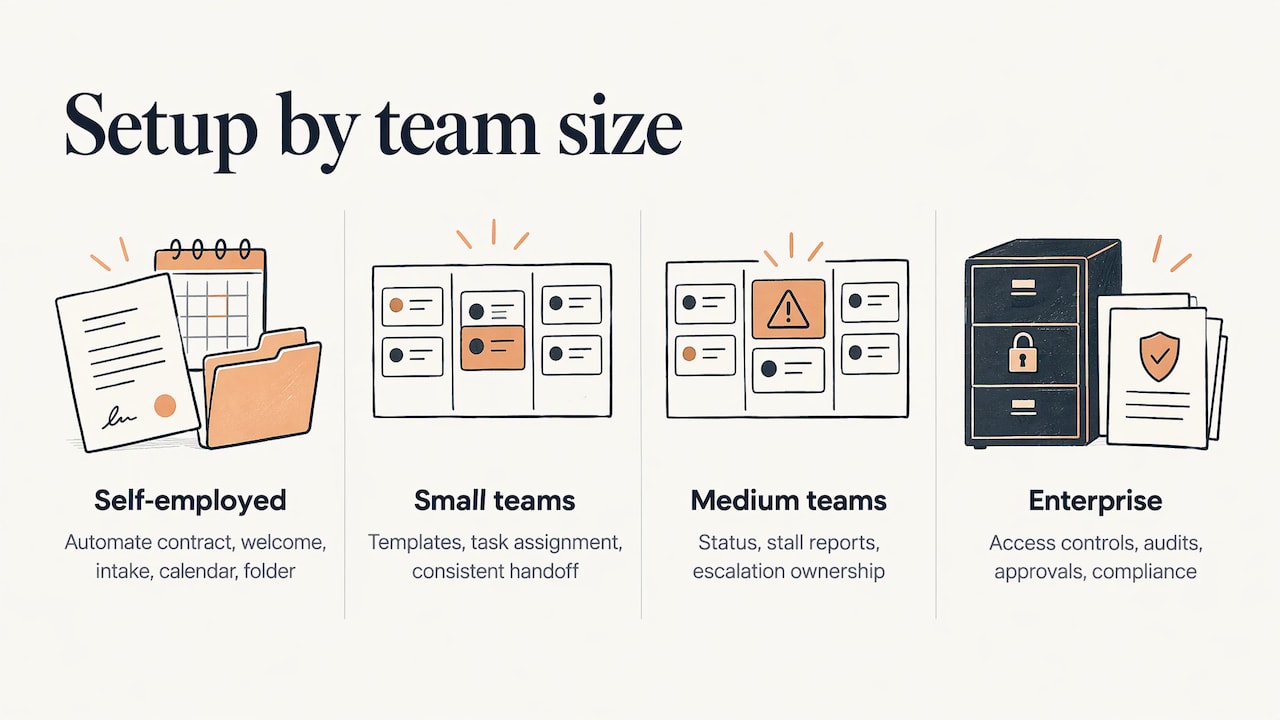
In all four cases the principle is the same: automate the movement, keep the relationship human, and grow the system as the business grows.
Our perspective
Most onboarding problems we see are not tool problems. They are handoff problems: a signed contract that sits unseen for a day, an intake form nobody remembers to send, a kickoff booked three emails too late.
That is why we build automation around your actual workflow instead of a generic template. A freelancer, a twelve-person team and a larger operation need different things, and a system should be calibrated to your growth stage and able to change as you do. We pair that with personal consultation, so the process is designed with the people who run it.
Our approach is simple: let the automation carry the paperwork, the reminders and the routing, and let your people spend their time on the first call and the first win. When the system is set up well, clients feel looked after from the first minute, and you get your hours back.
Joshua
Let us build your onboarding workflow
Elevator Pitch Automations designs custom automation for business workflows, from auto-responses, automatic emails and lead capturing to custom AI agent integration. If your onboarding is a patchwork of manual steps, we can map it with you, build the pieces that fit, and train your team to run it. You can work with us through consultations, customized help or a done-for-you setup.
Our monthly plans, including Turn On Elevator Pitch Automations, are listed at $300 per month on our setup page, and you can see all offers on the pricing page. Prefer to talk first? Get in contact and tell us where your onboarding slows down. For more ideas on what else can run on its own, browse our automation ideas.
FAQ
What is the client onboarding process?
It is the set of steps that takes a new client from signed agreement to first delivered work. Typically that includes the agreement and payment, a welcome, information gathering, a kickoff meeting, an internal handoff and scheduled check-ins. The exact number of steps varies by guide and by business.
How do I automate client onboarding without losing the personal touch?
Automate the administrative flow and keep people on the moments that carry the relationship: the kickoff call, scope conversations and check-ins. Write automated messages in a natural voice, name a real contact, and set escalation rules so a person steps in when a client stalls or raises an issue.
Which onboarding tasks are safest to automate?
Start with welcome emails triggered by a signed agreement, intake forms, e-signature requests, payment links, reminders, internal task creation and status updates. These are repeatable and low-stakes, and the guides listed below consistently place them on the automation side of the line.
How long does it take to set up?
A basic chain, such as signature to welcome email to intake form to calendar link, can be built quickly when your process is already written down. Fuller systems with project creation, handoffs and reporting take longer, so build in stages and test each with a dummy client before going live.
Sources
- IBM: Customer onboarding automation
- Assembly: How to onboard a new client
- Signwell: Client onboarding workflow
- Moxo: Onboarding security and compliance
- Foyai: Customer onboarding rooms
- Agentic workflows: a practical guide